BLTN
by Multitude Insights

Redesigning an information sharing service to improve usability and promote user interaction.
Team: 3 Designers Time: 2 ½-week client sprint (2022, General Assembly) My Role: UX Designer
At a Glance
Tools Used: Figma, Figjam, Google Workspace, Slack
Key Methods: Competitive and Heuristic analysis, survey, interviews, prototyping, usability testing.
The Challenge: Officers were not engaging with a platform built to help departments share bulletins and solve cases together.
What I did: Conducted market research, interviewed users, turned sketches into a clickable prototype, and ran the usability tests that shaped the final design.
The Result: A bulleting map, cross-precinct messaging and a bulletin quality meter, plus clearer navigation and a tabbed bulletin view after testing.
Understanding the Business
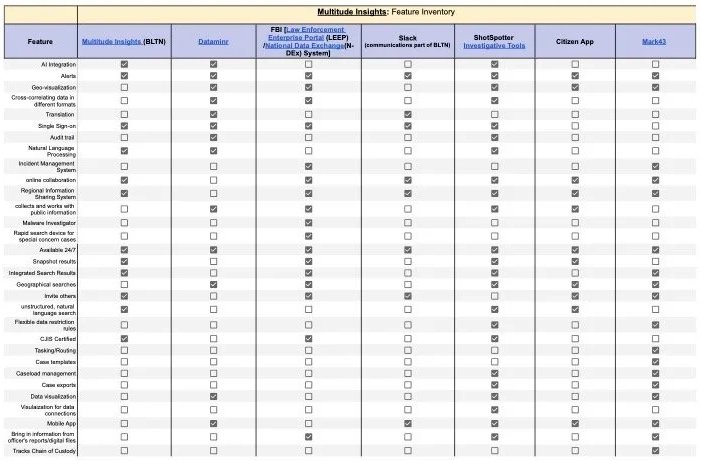
The client wanted officers to engage and collaborate more on the platform. A competitive review showed BLTN lacked certain features including a map, something most competitors offered.
Understanding the User
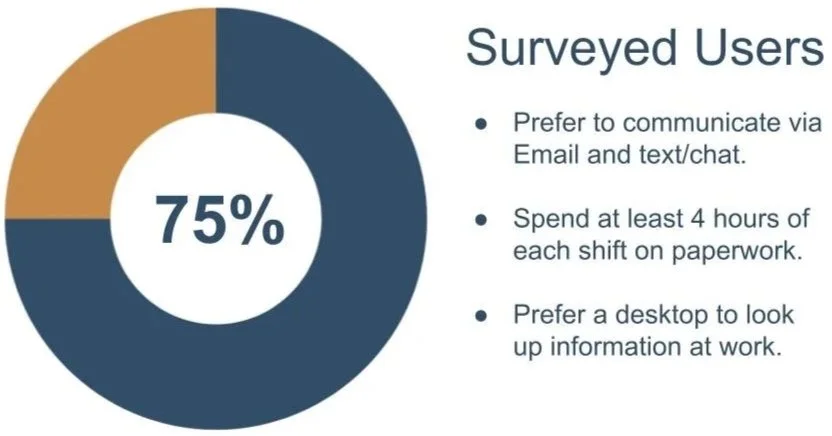
A 12-response survey and 6 interviews showed officers spend about half their day on paperwork and need to find and share information fast.
Designing
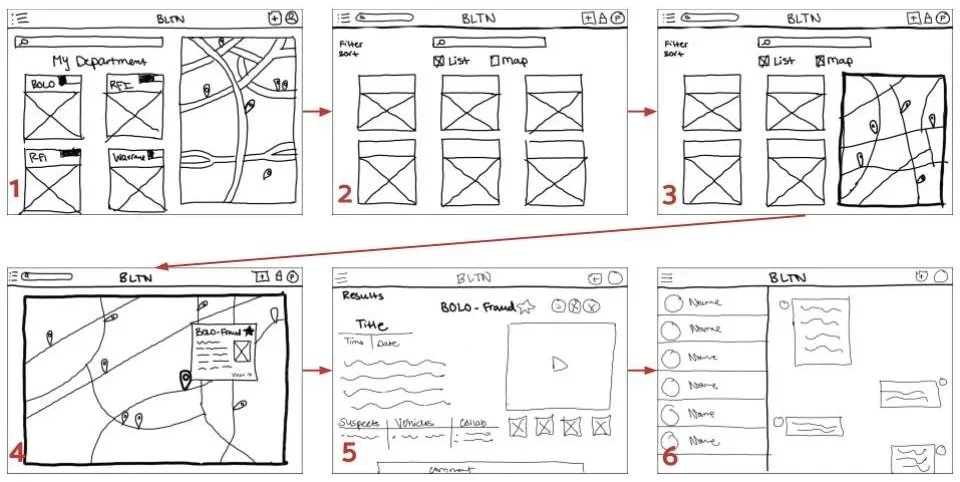
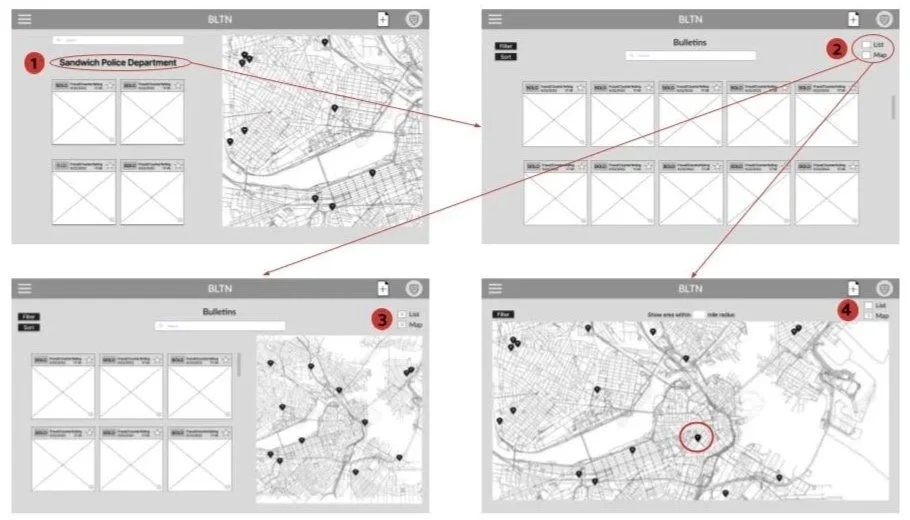
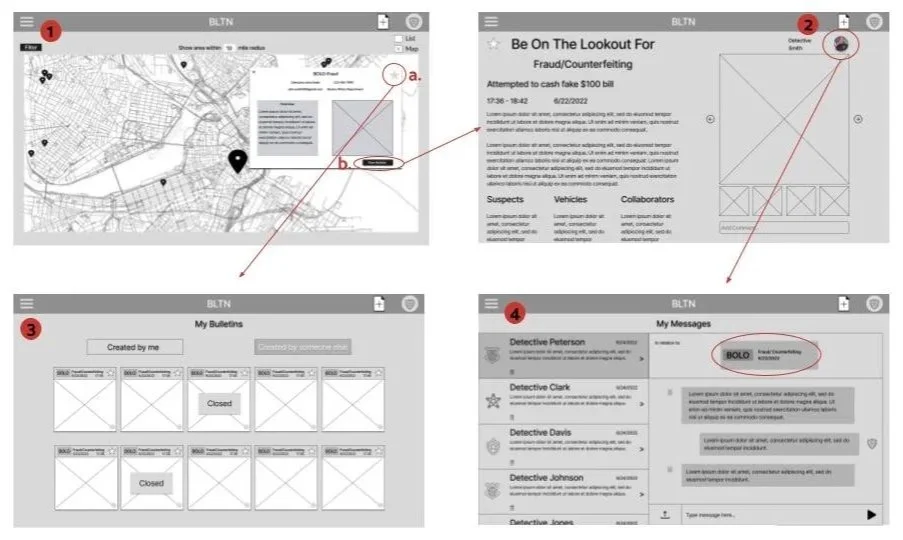
I sketched initial designs and turned them into wireframes and a clickable prototype, adding a bulletin map, cross-precinct messaging, and a quality meter that fills as officers add details.
Testing and Refining
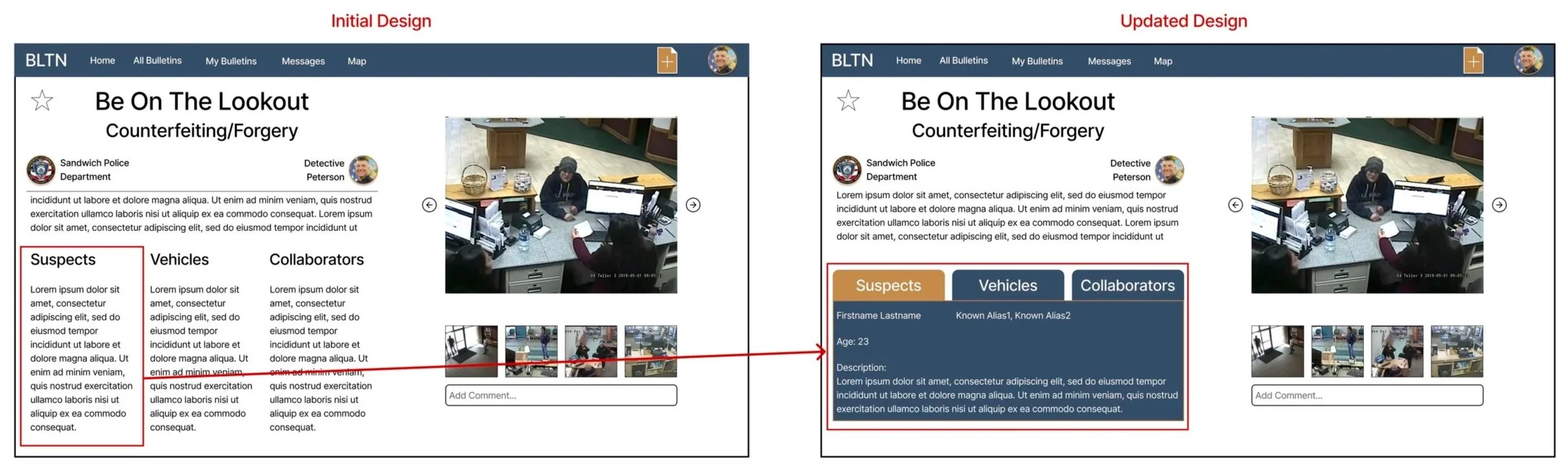
In the usability tests I ran, officers liked the new features but had trouble finding them. I reworked the top menu to bring them forward, and moved bulletin details into tabs to cut clutter.

The Prototype
Please enjoy this short walk through of our redesign of BLTN.
Next Steps
In 2 ½ weeks, early testing confirmed our features were right, but poorly surfaced, proving that clarifying navigation created more immediate value than adding more new tools.
Future iterations would focus on administrative efficiency: scraping existing documents to pre-fill new bulletins within the system and eliminate redundant paperwork for users already spending half their day on forms. Connecting this ingestion with a dynamic quality meter would provide real-time guidance on missing fields, while essential messaging utilities, like in-thread search and timestamps, would solidify long-term workflow adoption.